Walk-In Queue & Waiting Room Call System

Waiting without lines, made simple.

Turn your existing tablets, phones, and TVs into a modern call system for practices, offices, shops, and events—with no special hardware and no app.

No credit card required · Full Pro features · Cancel anytime

09:32 AM
Tom walks in
In need of a new passport
09:33 AM
Sarah arrives
Quick registration question
09:35 AM
Mr. Weber arrives
Picking up finished documents
smartphoneNo App Download
devicesRuns on Any Device
verified_userGDPR-Compliant
timer3-Minute Setup

How it works

Tablet, QR Code & Paper Slip

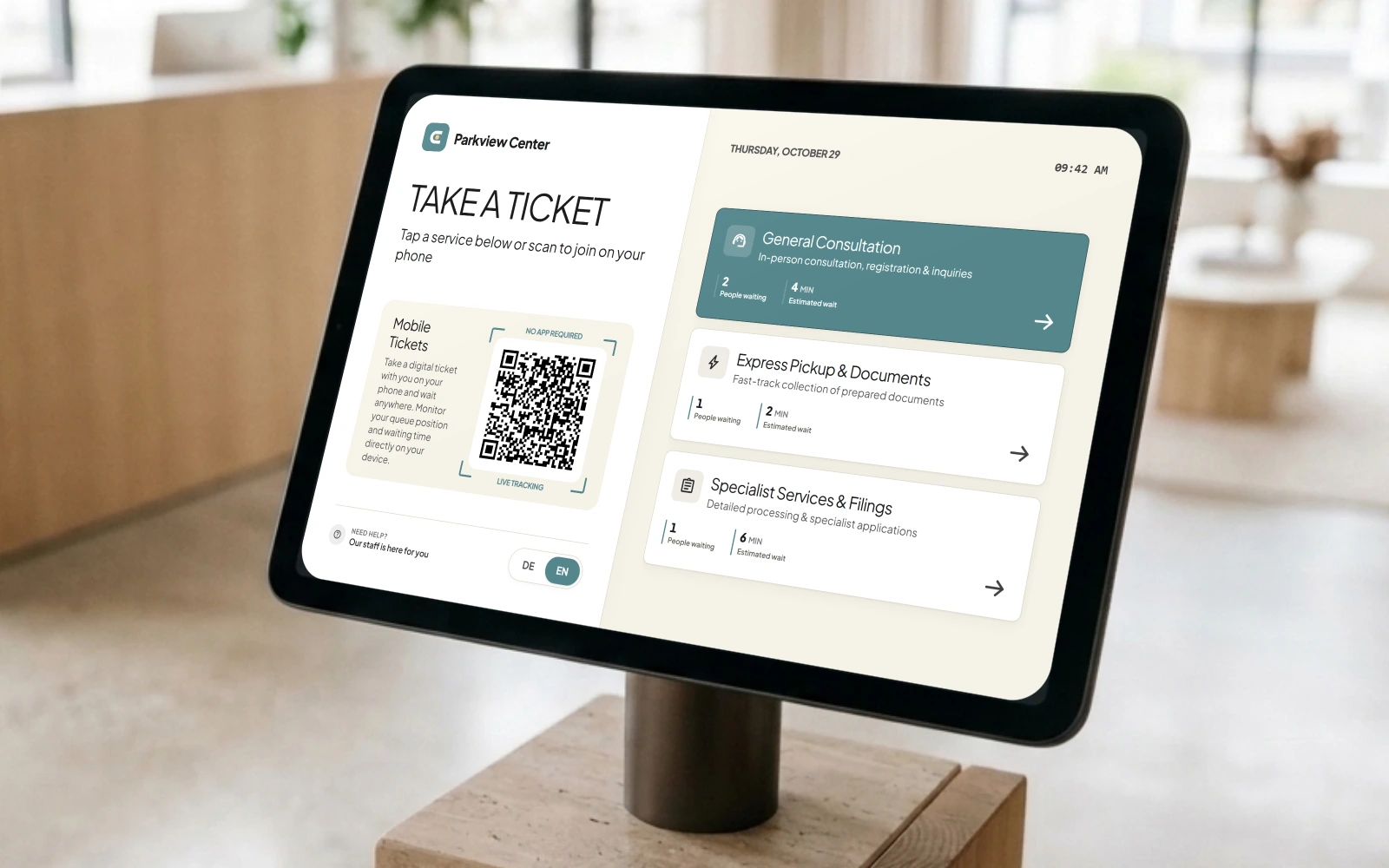
Check in via tablet, phone, or paper slip

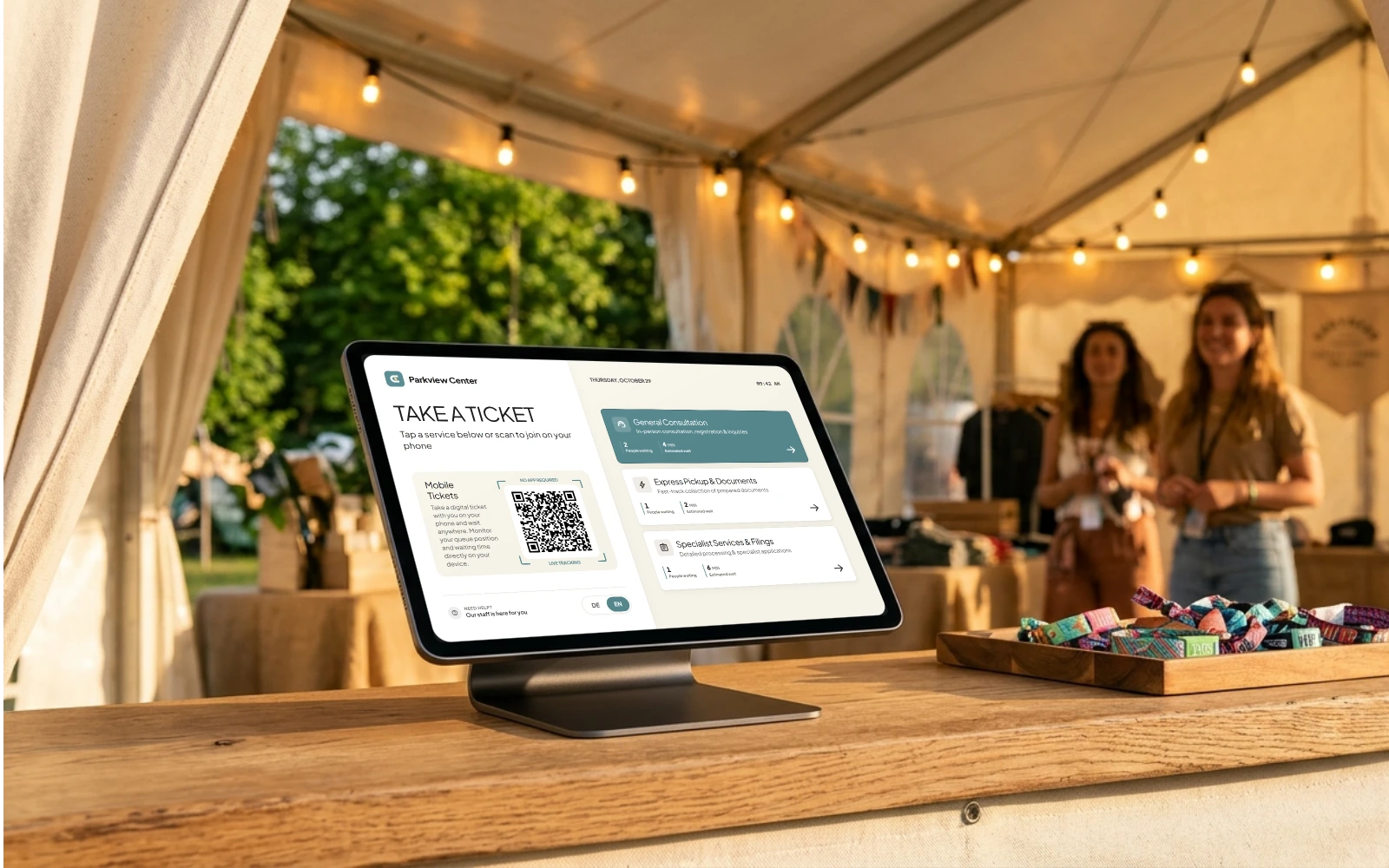
Visitors arrive without an appointment and tap what they need on an entrance tablet—or simply scan a QR code with their phone. For guests without a smartphone, you can also print a classic paper ticket with one tap.

Check in via tablet, phone, or paper slip
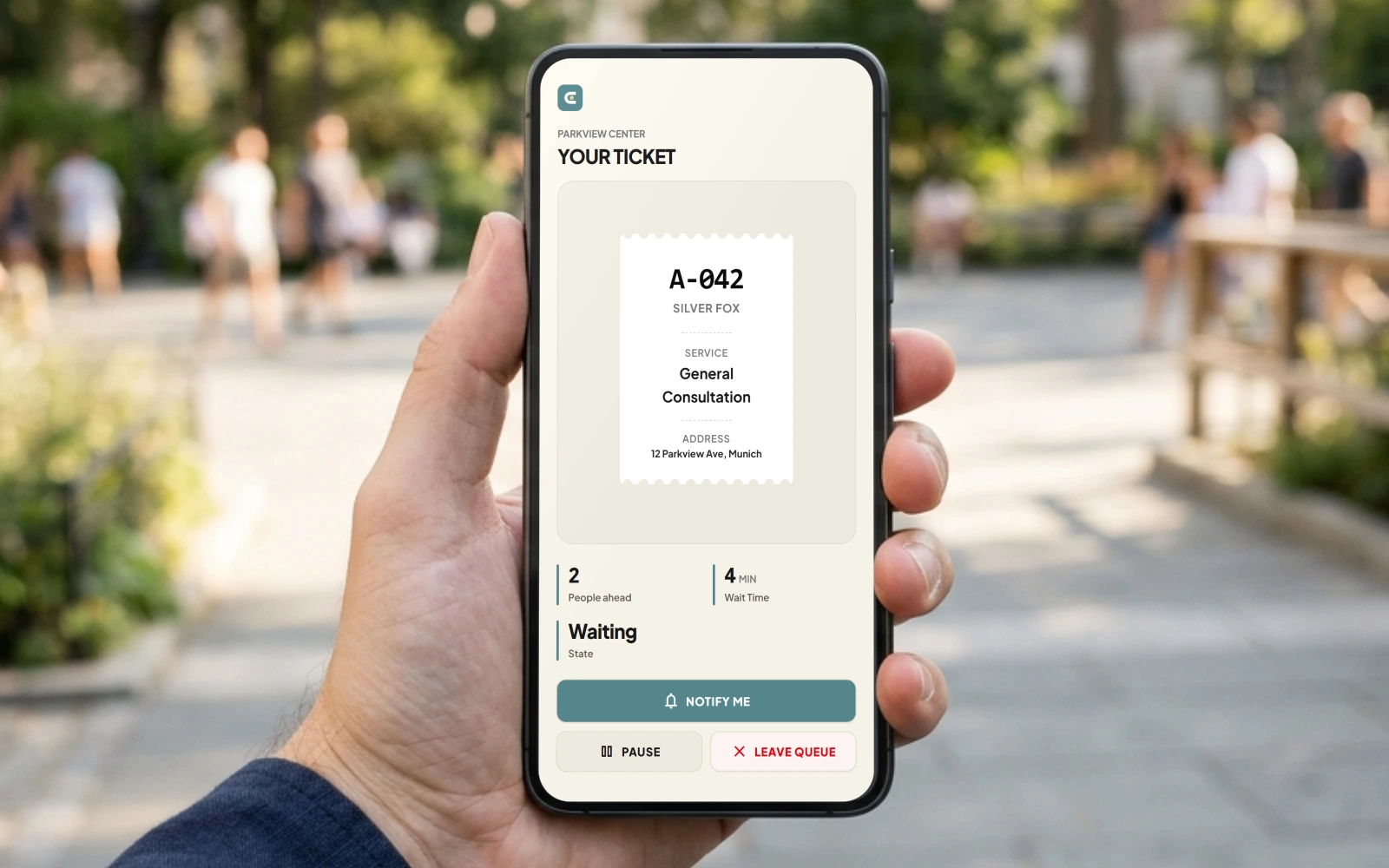
Live Status · No App Needed

Live wait time right on their phone

Visitors see right away how many people are ahead of them and their estimated wait time—without downloading an app. Optional codewords (like animals or colors) make ticket numbers easy to remember, and their phone alerts them when it’s their turn.

Live wait time right on their phone
Tablet, Phone & Computer

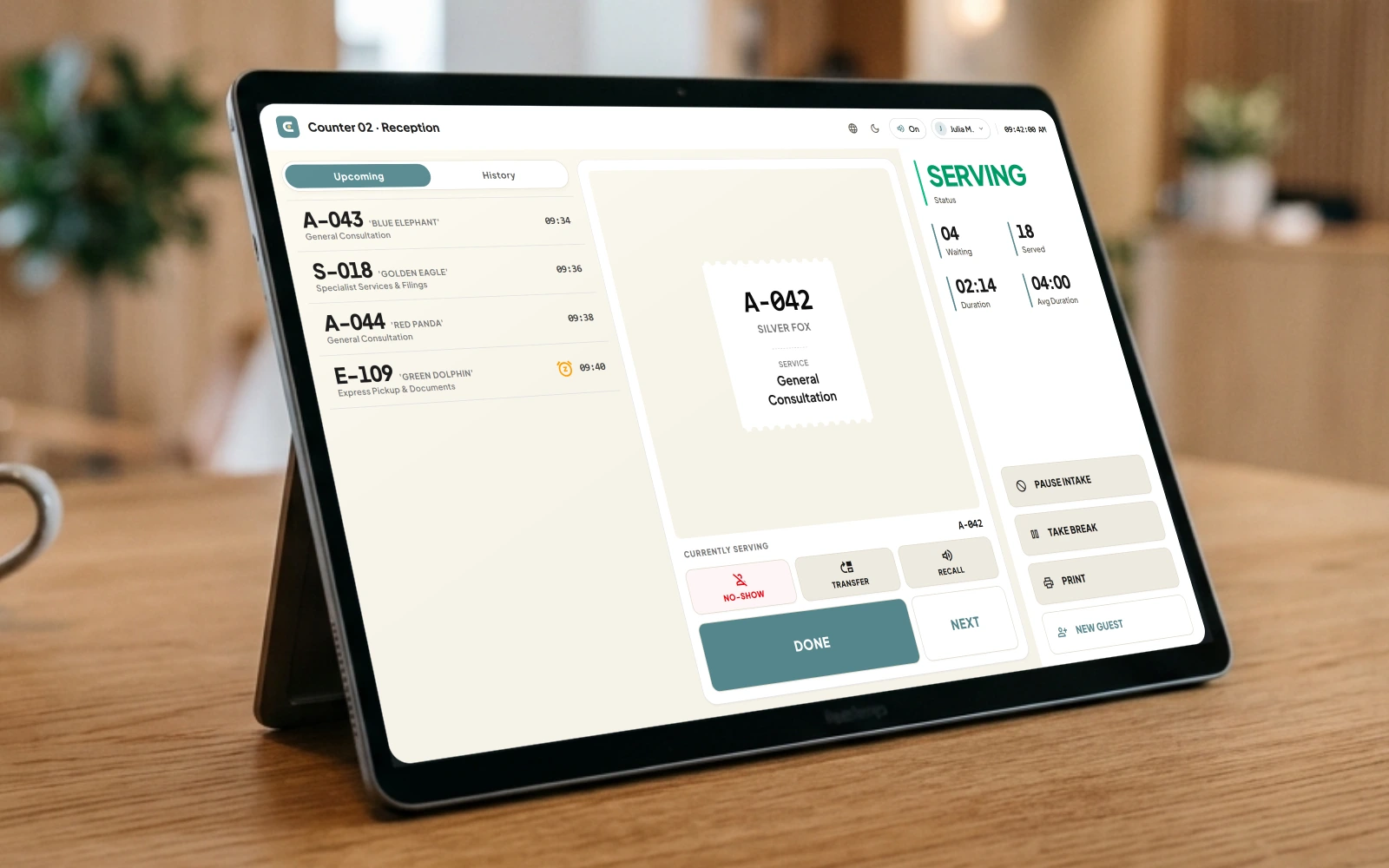
Call the next visitor from your tablet or phone

Your team sees the live waiting list on a tablet, smartphone, or computer. With a single tap, staff call the next visitor, ring again if someone stepped away, mark no-shows, or transfer a ticket to a colleague or another counter.

Call the next visitor from your tablet or phone
TV Display, Chime & Voice

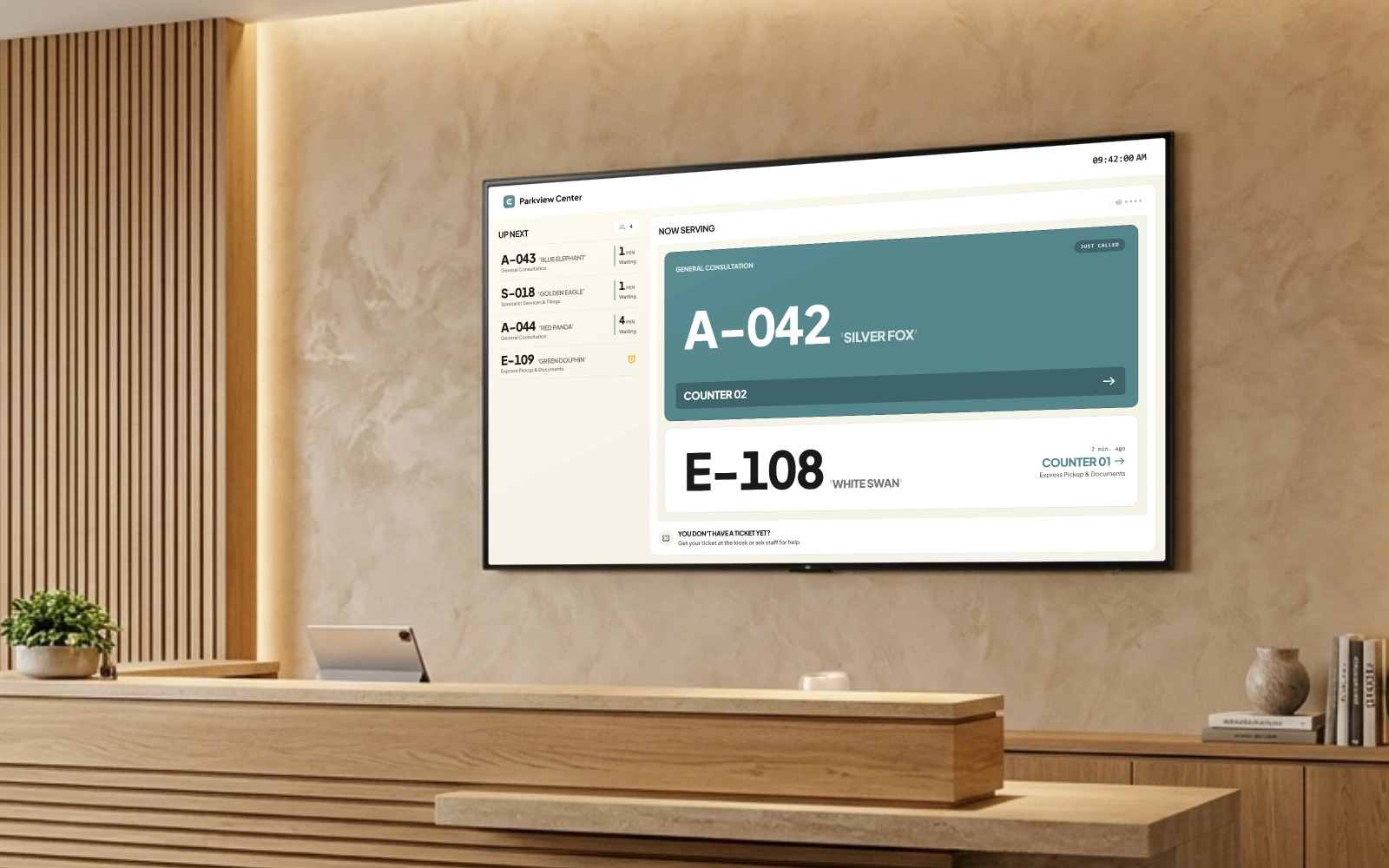
Clear callouts on any TV screen

Called tickets appear immediately on your waiting room TV. A pleasant chime and optional voice announcement guide visitors to the right room or counter—politely by ticket number and codeword instead of showing personal names.

Clear callouts on any TV screen
01 / 04 · Take a Ticket

Built for real-world foot traffic

Everything your reception, counters, and waiting room need.

Designed for everyday visitor traffic—easy for guests to understand, simple for your team to run, and ready to use on the devices you already have.

Flexible Check-In

Paperless by default. Printable on demand.

An automatically refreshing QR code ensures only visitors on-site can take a ticket with their phone or on your tablet. Serving guests without smartphones? Print a classic paper slip in one tap via USB or network thermal receipt printers.

On-Site QR Protection Thermal Receipt Printing
Use Your Own Devices

Runs on your existing tablets & Smart TVs.

Skip expensive ticket machines and custom wiring. Connect any iPad, Android tablet, Smart TV, or Fire TV Stick in 30 seconds using a simple 8-character pairing code.

Any Tablet or TV 8-Character Code Pairing

Counter Control

Effortless calling from any desk or room.

Call the next visitor with a single tap on your tablet, phone, or PC. If someone steps away or needs another colleague, you can ring again, put their ticket on hold, or pass it along without making them wait in line twice.

Hold & Call Again Easy Handover

Smart Routing

Separate express pickups from consultations.

Guide visitors to the right counter based on what they need. Handle quick pickups in a fast lane while longer consultations automatically go to the next available team member—complete with Smart Closing Cutoff before closing time.

Separate Queues Smart Closing Cutoff

Privacy & Branding

Discreet callouts & custom TV themes.

No more calling out personal names across a full waiting room. Call visitors discreetly by ticket number and memorable codeword, and choose from 8 clean screen designs that fit your space.

No Names on Screen 8 Display Themes

Analytics & Insights

Spot peak hours and bottlenecks instantly.

See at a glance when your busiest hours are—with clear weekly heatmaps, average wait and service times, and one-click PDF or CSV exports.

Busy Hours Overview Wait & Service Times
Built for

Where walk-in visitors happen.

See how EntraLane replaces crowded entrance lines and shouted names across four high-traffic walk-in environments.

local_hospitalPractices, Clinics & Labs Discreet & Privacy-Friendly

Stress-free patient routing with discreet calling & privacy.

Prevent infectious crowding in acute waiting rooms. Allow vulnerable patients to wait comfortably outside in fresh air or quiet lounges, receiving discreet acoustic and mobile alerts.

Typical Walk-In Bottleneck

Crowded, infectious waiting rooms, GDPR risks from shouting patient names, and visitors asking reception 'How much longer?' every 5 minutes.

The EntraLane Flow

Discreet callouts by ticket number and codeword (no patient names on TV), optional paper slips for seniors, and phone notifications so patients can wait outside.

How it works in this space
check_circleHygienic check-in via the patient's own phone, an entrance tablet, or an optional paper ticket.
check_circleDiscreet callouts: Treatment rooms call the next patient with a gentle chime and without showing names on the screen.
check_circlePhone notifications: Patients can wait outside in fresh air and get notified as soon as their room is ready.

Pop-Ups, Trade Fairs & Seasonal Clinics

Need walk-in queues for a temporary event? No monthly subscription required.

Running a weekend expo, pop-up store, open house, or festival? Choose a 24h Flash Pass, 72h Weekend Pass, or 7-Day Festival Pass—including a free test mode beforehand to set everything up in peace.

Flash Pass· 24 hWeekend Pass· 72 hFestival & Pop-Up· 7 days

Free test mode beforehand so you can set up and try out all screens before your event starts.

Common questions

Everything about managing walk-in queues.

Practical answers for clinics, citizen offices, retail stores, and service counters.

Do walk-in customers have to download an app or create an account?add

Never. Visitors simply tap your entrance tablet or point their phone camera at your QR code. Their live waiting ticket opens immediately in Mobile Safari or Chrome—with zero app store downloads, zero logins, and zero passwords.

What about elderly visitors or walk-ins without a smartphone?add

Everyone is taken care of. On an entrance tablet, guests without a smartphone simply tap what they need, remember their ticket number and codeword (such as A-042 · Silver Fox), or take a printed paper slip. They are then called clearly on the waiting room TV.

How do you prevent people outside the building from spamming our QR code?add

Automatically refreshing QR codes. When shown on your entrance tablet or screen, the QR code updates itself every few seconds. A photo of the code stops working right away—so only people actually standing in your entrance area can take a ticket.

How does EntraLane protect GDPR privacy in medical and public waiting rooms?add

No personal names on public screens. Instead of calling out names in a full room, EntraLane uses anonymous ticket numbers with optional easy-to-remember codewords (like A-042 · Silver Fox). No visitor names, phone numbers, or email addresses are ever collected, and temporary push notification tokens are automatically purged once a visit is finished.

What hardware do we need to buy to get started?add

None. EntraLane runs in any modern web browser on hardware you already own: iPads, Android tablets, existing Samsung/LG/FireTV lobby televisions, and standard reception PCs. You pair screens in 30 seconds using an 8-character pairing code at /pair.

Can staff transfer a walk-in customer to another counter, pause a ticket, or recall a latecomer?add

Yes—everything works with a tap on a tablet, phone, or computer. Staff can call the next visitor, ring the TV chime again if someone stepped away, put a ticket on hold while forms are being filled out, or pass a visitor on to a colleague at another counter.

What happens if a customer closes their phone browser or steps outside?add

Their spot stays saved. Reopening the browser or scanning the QR code again brings their live ticket right back. Guests can also turn on phone notifications so their phone alerts them as soon as they are called—or cancel their ticket with one tap if they leave early.

Do we need a monthly subscription for a weekend event, trade fair, or pop-up store?add

No. Alongside monthly plans (with a 14-day free trial), we offer flexible Event Passes for 24 hours, a weekend (72h), or a full week (7 days). Every Event Pass includes a free test mode beforehand so you can set up and try out all your screens before your event starts.

Explore our documentation or contact us if you have more questions.

Live in 3 minutes

Bring calm to your waiting room today.

Connect your first tablet or TV and welcome your first visitor in just a few minutes. No credit card required.